Choose a specific model, control or documentation question.
- Random-orbit start and stop
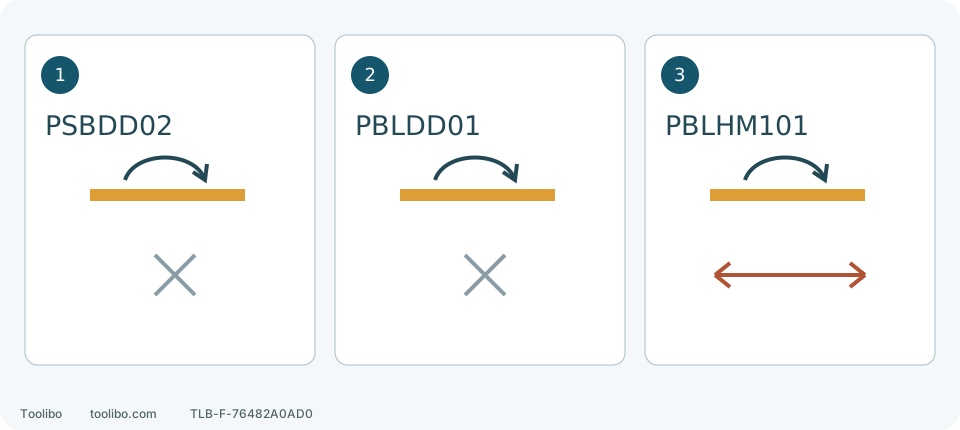
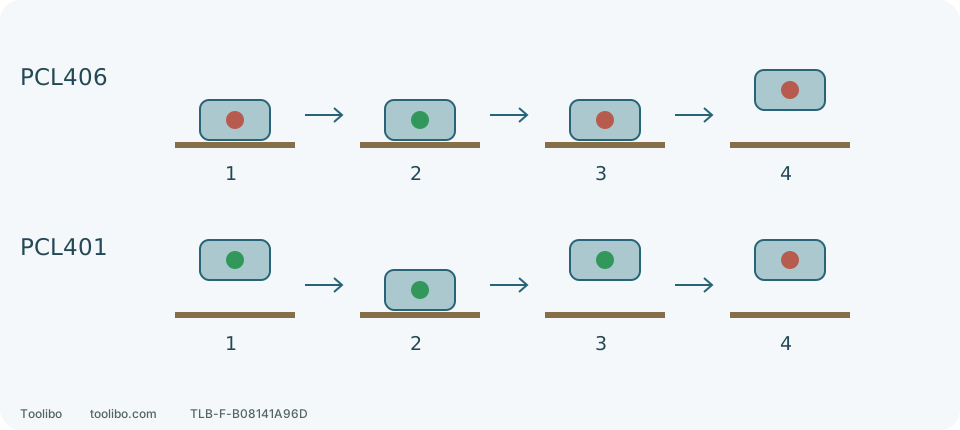
Compare ROS20VS and PCL406 normal sequences, rehearse without power and keep unresolved model instructions separate.
- Pad rotation and pressure
These descriptions lead to different checks. Separate motor sound, visible motion and surface change rather than testing with more pressure or lifting a suspect tool to run unloaded.
- Match your sander manual
A familiar brand and colour are only a start. Match body, market, document revision and task section before keeping a file for your machine.
- Read abrasive labels
Two packets marked 120 may suit different stages and different pads. Read the complete label before deciding whether to buy it, fit it and use it on this material.
- Inspect and replace discs
Slower sanding is not a reason to press harder. Stop and inspect the abrasive: loading, wear, tears and failed attachment lead to different next steps.
- Trace swirl marks safely
Small loops and hooked scratches are a reason to inspect the setup, not immediately reach for finer paper. Where the marks appear can help you decide what to check first.
- Check uneven sanding
A smooth-feeling board is not necessarily flat. Separate changes in shape from changes in colour or scratch pattern before sanding one patch again.
- Collector emptying workflow
Separate half-full, coating-dust and end-of-work triggers for 2648, PCL401 and PCL406.
- Backing-pad inspection
The disc is the abrasive consumable; the backing pad supports and holds it. Inspect more than adhesion: a damaged edge, separated layer or torn extraction hole can matter even when a disc still sticks.
- Heat or vibration: stop
Use the last change to organise disconnected checks. Damage, severe symptoms and unexplained changes are not reasons for repeated restarts.
- PCL406 battery and start/stop
Locate the front I/O switch and both battery latches, then prepare isolated, fit the battery, start flat on the work and wait for full stop before lifting.
- PCL406 bag removal and cleaning
Check the complete assembly, twist-push it on, then stop fully and remove the battery before taking it off, emptying and refitting; distinguish loose joints from torn bags.
- Two PCL401 paper routes
Fit ordinary paper rear-clamp first or remove and replace PSA with front-edge alignment, then punch and inspect; remove PSA before storage.
- PCL401 bag and vacuum setup
Fit, empty and refit the bag or connect a suitable nominal 1-1/4- or 1-7/8-inch vacuum hose, then diagnose the paper-to-collector path.
- RYOBI body versus package
Both current K1 packages list one PBP005 4Ah and PCG002. B means tool-only for these two listings, not a box with no accessories. Record tool, package and power components separately.
- Hook-and-loop or PSA
Equal diameter and grit do not make two backings interchangeable. Inspect the actual pad before buying; adhesive is not a repair for worn hooks.
- Mesh and pad protectors
A thin protector protects the backing pad; a thick interface changes conformity. A specific Festool 125 mm example shows the parts and their order.
- Wood abrasive construction
Define the surface and method before choosing grain. A flexible hand sheet and a machine disc can share a grit number without being interchangeable.
- Inspect dust escape
Record where dust appeared, then stop and inspect that component. A torn bag, unlatched lid and poor pickup beneath the pad are different problems, not reasons to tape every seam.
- Disc will not stay attached
Do not add glue to a disc that lifts or has come off during use. Disconnect power and compare it with one new, correctly matched disc before replacing parts.
- Investigate disc tears
Do not keep fitting fresh discs and hoping. Match the tear, the disc condition before fitting and the work route to separate contact damage, damaged consumables and attachment problems.
- Hot or scorched work
A discoloured patch and a smoking housing, battery or collector need different responses. Stop safely before deciding which checks apply.
- Check reduced extraction
When dust suddenly increases, recall what changed last. New-disc holes, a lid refitted after emptying and a replacement hose connection deserve attention before blaming an internal fan.
- Abnormal pad behaviour
A random-orbit pad is not a fixed-speed disc. Unfamiliar motion, vibration or stopping behaviour calls for taking it out of use, not pressing harder, touching the pad or sanding more wood to decide.
- External sander cleaning
A component-specific routine for Milwaukee 2648 and RYOBI PCL406, without transferring housing-cleaning permission to filters.
- Sander storage and local carrying
Prepare Milwaukee 2648 and RYOBI PCL406 for storage, then separate tool, battery, abrasive and collection accessories.
- Prepare a service request
Service needs the exact tool, what happened and what remains unknown. Organize existing facts without dismantling or reproducing a fault for video.
- Smoke, sparks or smell
Address immediate danger, then keep the tool out of use and arrange the appropriate assessment and handling route.