
Two external setup checks
Disc seating and hand position can be inspected without opening or running the tool.
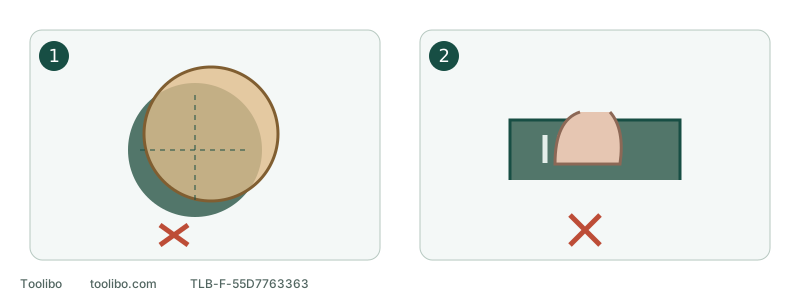
1. Off-centre abrasive
Correct fit while disconnected; damage or failed holding still prevents use.
2. Covered ventilation
Keep the intended vents clear; do not probe inside the housing.
Disc seating and hand position can be inspected without opening or running the tool.
Stop before inspection
Use the normal control, retain control until stopping if safe, then isolate power safely. Do not force contact with hot, leaking or damaged parts. Smoke, sparks, electrical odour or battery abnormalities require the appropriate danger/service response, not ordinary external troubleshooting.
Continued cutting does not establish sound condition. Look for a new change from normal operation, not a universal housing-temperature or vibration threshold.
Reconstruct the last change
Swipe or scroll horizontally to see all columns.
| When it began | First disconnected check |
|---|---|
| Just after a disc change | Identity, folds, holes, seating and trapped debris |
| At an edge or direction change | Pad support and workpiece stability |
| After prolonged pressure in one place | Pressure, loading and covered vents |
| Without a setup change, with noise or wobble | Keep stopped and arrange inspection |
Timing is a clue, not a diagnosis. A new noise after fitting paper does not authorise a free-running test.
Check three external groups when safely cool
Inspect both sides of the disc for tears, separation, loading and debris. Check the pad for cracks, distortion or obvious looseness. Structural damage or failed attachment prevents a sample run.
Check secure workholding, clean stable supports and space for flat pad contact. Holding a small loose piece in one hand while controlling the sander with the other is not an acceptable workaround.
Check grip position and accessible vents, then collector closure and connections. PCL406 warns against excess pressure and covering vents. Clean only as permitted: no metal probing, blowing dirt into the housing or running without covers.
Decide from the result
Swipe or scroll horizontally to see all columns.
| Result | Decision |
|---|---|
| Clear fitting/support error corrected; no damage or severe symptoms | Check the exact manual before considering a suitable sample |
| Damaged disc with unexplained cause or correct new disc will not hold | Keep out of use, rather than repeatedly changing paper |
| Distorted pad, damaged mounting or unreliable switch | Appropriate replacement/service route, not unknown fastener tightening |
| Persistent unexplained heat, noise or vibration | Inspection, not free-running cooling |
Correcting an external error does not mean bypassing protection, using another battery platform or opening the tool to adjust balance. Record one clear change.
Controlled return is not repeated restarting
Only with all permissive conditions met, use secured known suitable scrap and the exact startup/operation instructions. Guide without body weight. If the symptom returns, stop rather than try another speed.
Do not add water or lubricant, force idle running or repeatedly reset protection. Battery and charger concerns follow their own instructions. General cooling advice is not a remedy for smoke, electrical smell or unexplained vibration.
Provide model identity, disc, material, onset and disconnected-check results to service. “Intermittent shaking began after replacement” is more useful than guessing a bearing fault; a staged running video is unnecessary.
Models referenced