
Two North American records and one regional mismatch
Three document symbols show two candidates and one excluded regional file.
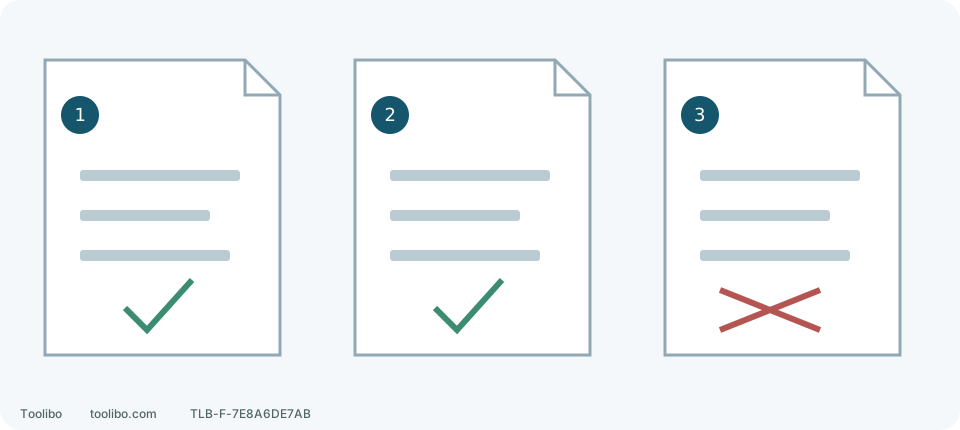
1 · NA597019
DCD794 / DCD799; 04/24. Apply hammer instructions only to the named hammer model.
2 · NA229093
DCD800 / DCD805; 05/22. Match the physical Type and model-specific sections.
3 · RO_A5_231022
Romanian regional document; an EN download path does not make it the US manual.
A check means a candidate for the stated US model and Type, not automatic approval for every tool.
Copy the tool label, not just the kit code
Switch off, remove the battery and inspect the external label in good light without opening the housing. Record model, Type, serial number and purchase region. Record batteries and charger separately. Share the serial privately with official support when needed rather than posting a full order with personal details.
For example, a DCD800D2 box can contain a DCD800 bearing a separate Type field. D2 identifies the package; Type identifies a tool version. Only record Type 1 if the physical label says so. A download listing offering Type 1 does not establish the identity of your unit.
Distinguish these actual documents
These are specific US-model search clues, not a complete worldwide directory. Open a candidate and check its cover, model-specific passages and document code at the end rather than relying on the browser tab.
Swipe or scroll horizontally to see all columns.
| File or document code | Internal identity | How to use it |
|---|---|---|
| NA597019 | DCD794 / DCD799; North American English, French and Spanish; printed 04/24 | Type 1 download record; distinguish drill/driver and hammer content |
| NA229093 | DCD800 / DCD805; North American English, French and Spanish; printed 05/22 | Type 1 download record; select passages for the physical model |
| DCD800_DCD805_RO_A5_231022 | Romanian text and regional context | An EN path does not make it US English operating guidance |
The first two PDFs have 24 and 36 pages respectively, including multiple languages. Viewer page numbers need not match printed numbers. Record the language section and printed page when locating a control. For example, NA229093 English printed pages 7–9 cover controls and modes; page 11 lists maximum recommended capacities. The same viewer page number in another language is not automatically the same passage.
Work through a DCD800 Type 1 example
- Confirm “DCD800, Type 1” on your own tool and retain its US-market context. If Type differs or is unreadable, ask official support first.
- Use the model’s official support/download entry for that Type and open NA229093 as a candidate; saving its filename alone is insufficient.
- Check that the document internally identifies the North American DCD800 / DCD805 family and find a language you understand.
- Match trigger, gear, mode and light controls to the diagrams, then read their operating instructions. Passages marked “DCD805 only” do not give DCD800 hammer action.
- Save document code NA229093, printed 05/22 and the applicable model, plus the separate matched battery and charger instructions. You can then distinguish this record from a later replacement download.
This illustrates a matching process, not an assumption that every DCD800 is Type 1. If the document disagrees with the physical controls or label, stop at verification rather than trying unfamiliar settings.
A shared cover can hide a mode exception
NA597019 names both DCD794 and DCD799; it does not give DCD794 hammer drilling. Relevant hammer instructions apply to DCD799. Likewise, DCD805-specific passages in NA229093 do not automatically apply to DCD800.
Read the model qualification around the paragraph, then compare the symbols on the actual selector. Return to the matched control diagram for unfamiliar symbols instead of guessing from another similar tool. A chuck accepting an accessory does not establish a tool mode.
Ask about applicability, not simply the newest date
04/24 and 05/22 are document print markings, not your tool’s manufacture date or a website-check date. An older print date does not automatically invalidate the correct document, and a newer document may not cover an older Type. Explicit model, Type and market applicability decide.
A useful support request is: “My tool is DCD800, physical Type …, purchased in …. I have NA229093, printed 05/22. Please confirm applicability or provide the matched document code.” Attach a clear external-label photo; there is no need to open the housing for an internal identifier. Once matched, follow the applicable operation, accessory and safety requirements.
Models referenced