
Start with an identified combination
DCW210 identifies the tool body. US DCW210B is tool-only, with battery and charger separate. The US DCW210D1 kit lists a DCB203 20V MAX 2.0Ah battery and DCB112 charger: a concrete compatible example, not the only possible combination. The platform is branded 20V MAX with 18V nominal voltage. Similar voltage numbers do not justify another platform’s battery or an improvised adapter.
Check the body Type and full battery and charger identities against their applicable instructions. This guide uses North American DCW210 manual N648180 and the named kit for external setup; regional plugs, supply requirements and revisions are not interchangeable. Do not install or charge a cracked, leaking, scorched or abnormally deformed pack; use an appropriate service route.
Read the DCB112 charging indication
Match the charger’s nameplate supply to the outlet and place it in a dry, ventilated location. Connect the appropriate supply, insert the compatible pack and check seating. For this combination, a continuously blinking red light indicates charging and steady red indicates completion. Charge fully before first use.
Blinking red with yellow illuminated indicates a hot/cold delay. Do not accelerate it with refrigeration, a heat gun or bypass circuitry. Let the pack return to the permitted temperature so the charger can resume. Persistent abnormal indications or visible damage require attention, not repeated forceful insertion. These indications concern the named charger, not every DEWALT model.
Prepare with the pack removed
Set O and leave the battery out. Check pad and abrasive, using the model-compatible nominal 5-inch, eight-hole hook-and-loop disc. Align every opening and flatten the edges. Fit collection, secure the work and rehearse clearance. The lowest speed is not isolation and never replaces battery removal for accessory adjustment.
Do not use drywall as the sample or start on unidentified old coatings. Cordless power does not remove those material restrictions.
Slide on the rails and check retention
Confirm O, align the pack with the handle rails and slide it in until firmly seated. Gently check it will not disengage unexpectedly. If it will not slide or stay normally, remove it and check identity, debris or damage. Do not trim rails, hammer the pack or add an adapter.
For removal, switch off, wait for all movement, press the release button and pull the pack from the handle. Do not use battery removal as the normal running stop or shake the complete tool by the pack to test the joint.
Let the material guide the trial
The range is 8,000–12,000 orbits per minute, not removal rate or actual pad RPM. Lower settings generally suit softer material and higher settings harder material; increasing speed increases removal. This is a starting guide. Veneer, nearly finished surfaces and the abrasive still require judgement. Intermediate positions have no individually calibrated OPM values here, so the scale cannot provide exact rates; hardwood does not always need maximum speed.
Before choosing or changing a dial position, switch off, wait and remove the battery. After adjustment, confirm O, refit the pack and check retention. Repeat this sequence for every trial change.
For example, secure adequately thick bare softwood matching the work, select abrasive for the current defect and begin with a lower controllable setting. Follow the model’s grip and operation instructions, keeping the pad flat and moving in long continuous strokes without extra heavy pressure. Stop, wait and remove the battery before inspecting uniformity, defect reduction and loading.
If removal is slow but the paper remains sharp and the surface even, change speed alone in a subsequent trial. Loaded paper needs attention first, not simultaneous speed and pressure increases. For new grooves, unusual heat or vibration, poor control or battery retention problems, stop and safely disconnect before inspection. Do not resume until the cause is resolved. Record a useful combination and recheck when wood, abrasive or finish changes instead of treating one success as a universal setting.
DCW210: charge, seat, then trial
A battery on a charger, a rail-guided battery insertion and a flat sanding trial are shown separately.
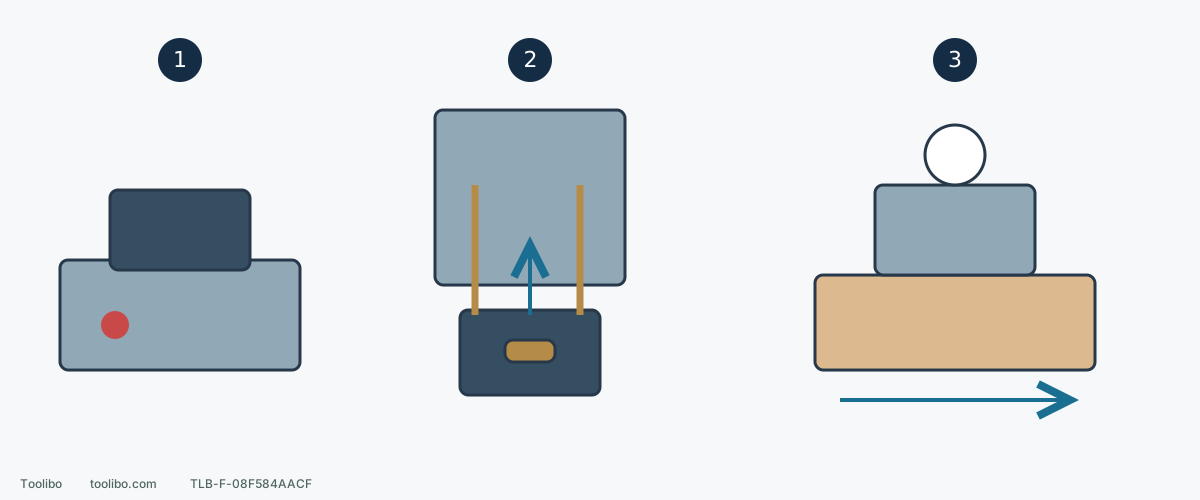
1. Confirm the charging combination
DCB203 with DCB112 is a named US kit example; check the actual charger supply and indicators.
2. Set O and seat on the rails
Prepare and choose speed with the pack removed; then fit it securely and check retention.
3. Trial on matching material
Keep the pad flat and moving; stop, wait and remove the battery before every adjustment or inspection.
Shapes explain the sequence, not exact connector geometry or an electrical wiring diagram.
Models referenced