
Unreliable stopping means out of service
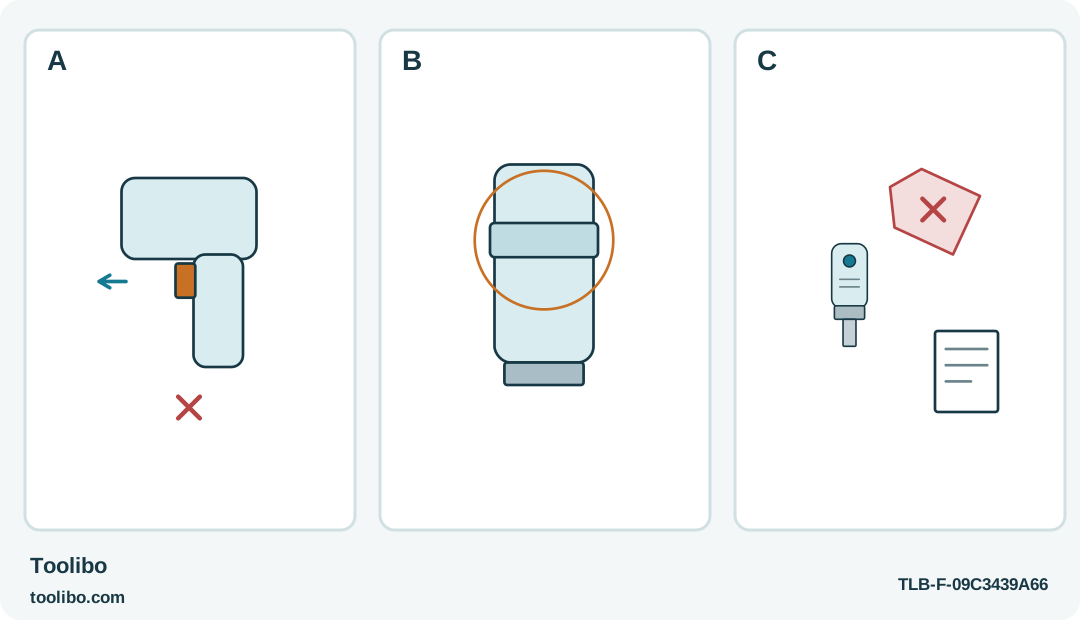
An unreliable trigger, a circled collar separate from its sleeve, and a tagged tool with a service record show the stop-use boundary.
A
A trigger that does not release reliably is a stop-use fault, not a reason to grip differently or switch direction.
B
On SD561201, distinguish the motor-command collar from the retention sleeve; genuine failure to stop still requires service.
C
Once stopped and safely handled, mark and separate the faulty tool. Do not reproduce uncontrolled rotation for a test.
A control that cannot reliably end rotation takes the tool out of service; changing grip or reproducing the fault is not a repair.
Treat loss of control as the main fault
A trigger that catches or a collar that does not return normally changes the basic safety of a screwdriver. The immediate issue is no longer whether the screw can be finished. It is whether you can start and stop the tool predictably. Release the control, keep the rotating end clear of people and objects, and do not touch the bit while it moves.
This guide covers external recognition of a fault on the BLACK+DECKER BDCS20 and SKIL SD561201. It is not a switch-repair procedure. If rotation continues unexpectedly, do not attempt an accessory change, housing disassembly or a hand stop of the spindle. Keep others clear and obtain the manufacturer’s guidance for the malfunctioning tool.
Know which control normally starts the motor
The BDCS20 uses a switch that starts the tool when pressed and stops it when released. Its forward/reverse slider has a central lock-off position for normal stopped-tool setup and storage. That lock is not a substitute for repairing a switch that fails to release properly.
The SD561201 behaves differently: its forward/reverse collar also commands rotation. The black bit-retention sleeve is a separate component. A user unfamiliar with that layout may touch the motor control while intending to handle the bit sleeve. Learn the distinction on a stopped tool, but do not explain away a genuine failure to stop as unfamiliarity once the control is being used correctly.
Preserve the observation without repeated testing
Once the tool has stopped and can be handled safely, leave it out of service. Note whether the control felt sticky, failed to return, started without the intended action or produced intermittent movement. Record whether an accessory or nearby furniture edge was physically pressing on it.
Do not deliberately reproduce uncontrolled rotation for a video or ask another person to try it in their hand. An intermittent fault can disappear briefly without being repaired. If a control problem arose after a drop, liquid exposure or visible housing damage, include that information when seeking service. It is more useful than a guess about which internal component has failed.
Make only a disconnected external inspection
Disconnect charging equipment before looking over the stopped tool. Keep the control in its normal safe position where it functions correctly, and do not assume that a suspect lock provides reliable isolation. Inspect the exterior for a trapped object, damaged plastic or heavy dirt around the control, without inserting anything into openings.
Do not spray lubricant, contact cleaner or solvent into the trigger or collar. Do not pry a control back into position, loosen housing screws or remove an integrated battery to investigate. Those actions can create additional faults and are outside ordinary owner care. If a visible obstruction cannot be removed by the tool’s permitted external cleaning method, leave it for service rather than forcing access.
Reject the tempting workarounds
Reverse is a direction command, not an emergency repair for a failed stop control. Do not flick between directions while the spindle turns. Likewise, holding the tool farther from the screw, changing fingers or resting it against a bench does not make unreliable switching acceptable for another fastening.
Do not keep the battery discharged as a way of making a faulty tool safe for occasional hand use, or reconnect it briefly for just one screw. The tool still contains a power system and a known defect. Mark it clearly so it is not returned to a shared drawer, and keep it away from children and anyone who may assume it is ready to use.
Return to work with a sound tool and a clear task
Give service the exact model, region and fault description. Ask whether repair or replacement is the appropriate route; do not presume a generic switch from another driver will fit. Resume use only after the fault has been properly resolved and the tool’s normal controls are reliable.
Choose a separate sound hand tool or suitable replacement driver for the unfinished furniture task. Keep the SD561201’s own fastening limits separate from its sensor branding: this article authorizes no electrical work and no expansion of its powered material or screw-size scope. A control fault is resolved by restoring predictable control, not by completing the last screw without incident.
Models referenced