
An external check has a stopping point
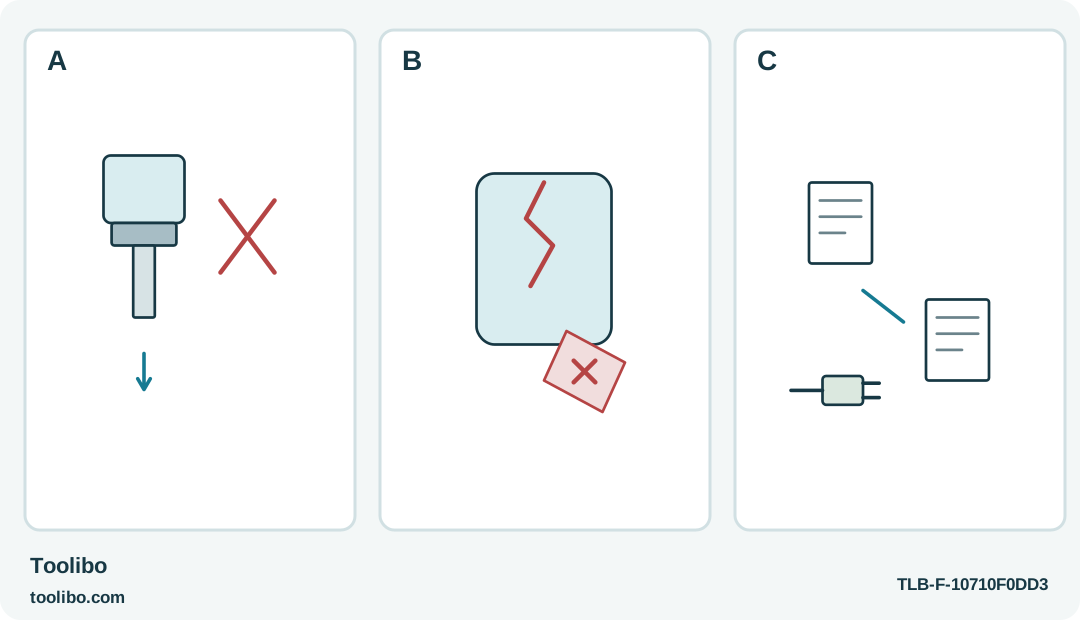
A failed retention check, a cracked tagged housing and separate identity and symptom records show the boundary between owner checks and service.
A
If a correct accessory still will not retain after permitted setup checks, stop rather than improvise a tighter fit.
B
Damage or unreliable controls mean out of use; mark and separate the tool once safe, without reproducing a dangerous event.
C
Record exact model, approved equipment and observed symptom for authorized service; do not guess at an internal cell or circuit fault.
An external check has an endpoint: unresolved retention, damaged housing or unreliable controls belong in an accurate service report, not an improvised workaround.
Decide whether another test adds useful information
A normal external check answers a specific question, such as whether the correct bit is seated or the approved charger is connected. Repeating a failed operation without a new explanation is different. If a driver repeatedly cuts out, makes abnormal noise or cannot retain a compatible bit, another fastening attempt may only reproduce the fault and damage the work.
This guide concerns the WORX WX240L, VESSEL 220USB-1E and Makita DF012D. It does not diagnose their internal electronics or authorize battery repair. Stop immediately when a control fails to stop reliably, the housing is damaged or battery distress is visible. Do not continue a routine checklist around smoke, swelling, leaking material or another immediate hazard.
Separate setup mistakes from persistent faults
A wrong bit, a locked control or an incorrect charging arrangement can explain a tool that appears not to work. Check those ordinary conditions using the exact model’s instructions, with the tool stopped and charging equipment disconnected where required. On the Makita, switch off, set the lock lever to B and remove the battery before changing accessories, adjusting the setup or inspecting the holder.
Once a clear external mistake has been corrected, any ordinary operating check should be limited and appropriate to the tool. Do not keep substituting accessories, supplies or settings at random. If the same symptom persists with the correct equipment and a sound permitted task, record it for service rather than inventing a more demanding test.
Recognize the stop-use signs
An unreliable start-stop control is a service issue even if the motor still has power. A holder that will not secure the correct accessory is not repaired by tape or a different gripping technique. A cracked housing, damaged port or loose component should not be ignored because the tool is small or because only one screw remains.
Unusual noise, repeated protection stops and abnormal heat also deserve attention once unsuitable loading and ordinary setup errors have been ruled out. The VESSEL guidance distinguishes an overload pause from faults requiring distributor support; do not turn that distinction into permission for endless retries. The WX240L’s lack of user-serviceable internal parts is not an invitation to search for a hidden adjustment.
Prepare a concise service record
Write down the exact model and regional identity, the battery or charger used and the symptom in plain terms. Useful observations include “the selector does not return,” “a compatible bit pulls out after the sleeve closes,” or “the tool stops repeatedly during the same light permitted task.” Avoid declaring that a cell or circuit board is faulty when you have not established that.
Include the circumstances of the first occurrence: a fall, liquid exposure, long storage or a difficult fastening. Do not reproduce a dangerous event merely to make a video. Keep the tool, charger and any suspect accessory identified so the service provider can determine which items are relevant without receiving a mixed box of unrelated parts.
Keep the faulty tool from returning to the job
Mark the tool clearly and separate it from ready equipment. Lock or neutralize its normal controls where they function correctly, disconnect charging equipment and follow the manufacturer’s safe storage guidance. Do not rely on a flat battery to communicate that the tool must not be used.
Use a sound suitable tool for the unfinished task, or leave the task safely incomplete until the fastening method is resolved. Borrowing a different driver does not validate a damaged joint produced during the fault. Inspect the screw, fitting and material before continuing with any replacement tool.
Compare repair and replacement honestly
Ask the manufacturer or authorized service provider about the appropriate route for that exact model. Consider the condition of the tool, availability of proper parts and the confirmed charging system. Do not assume that a replacement tool body accepts the old battery or that a visually similar charger is equivalent.
Follow the relevant battery-containing product disposal guidance if replacement is chosen. Do not open a sealed pack, salvage cells or treat disposal diagrams as an ordinary repair procedure. The useful boundary is straightforward: owner checks verify accessible setup and condition; service addresses faults that remain inside the tool or persist after those checks. Respecting that boundary protects both the next project and the person who might otherwise pick the driver up without knowing its history.
Models referenced