
Keep charging checks external and specific
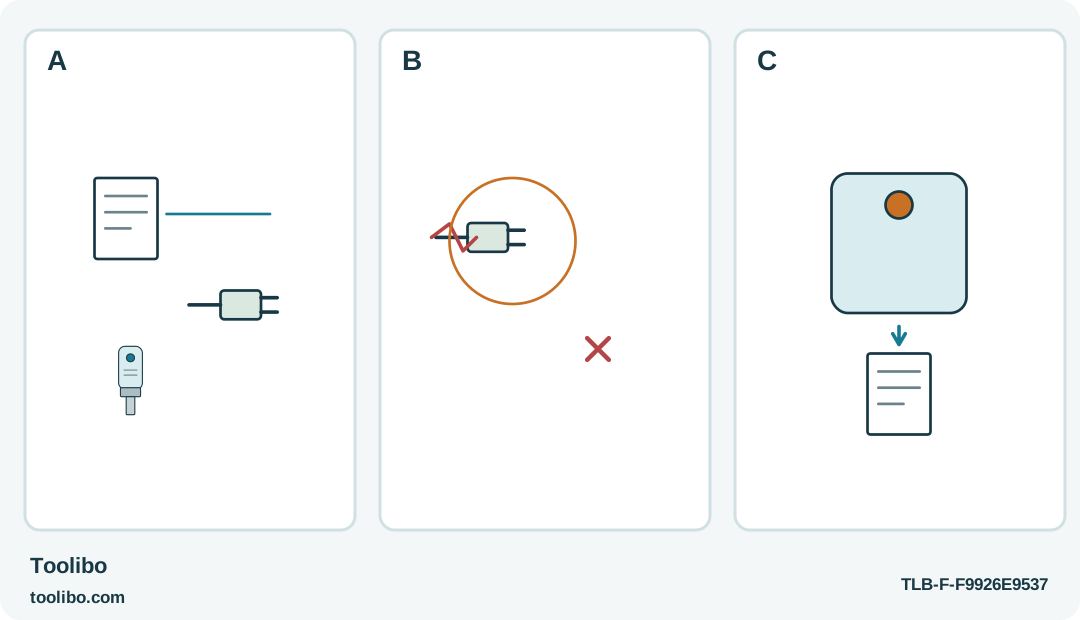
A tool and supply identity record, a circled damaged disconnected lead, and an indicator observation record outline external charging checks.
A
Identify the exact tool and approved complete supply arrangement; connector shape alone is insufficient.
B
Inspect the disconnected lead and port externally. Visible damage means stop; never probe contacts.
C
Observe and record the exact model’s normal indicator behavior once under correct conditions; persistent failure belongs with service.
Keep the check outside the equipment: identify the proper supply, reject visible damage and record the indicator behavior rather than probing contacts.
Write down what “will not charge” means
A dark indicator, a loose plug and a tool that runs briefly after charging are different observations. Before replacing anything, note the model, the charging equipment being used and exactly what the indicator does. That short record is more useful than saying the battery is dead after one unsuccessful connection.
This guide covers external checks for the US WORX WX240L, BLACK+DECKER BDCS20 and English-export VESSEL 220USB-1E. Their charging arrangements are not interchangeable. Do not open a housing, bridge contacts, connect directly to a cell or attempt to revive a battery with another battery. A damaged, swollen, leaking or abnormally hot tool should not be put on charge for diagnosis.
Match the supply before blaming the connector
Find the supply specification for the exact tool and use its approved charging arrangement. The WX240L’s USB-C connection and the VESSEL’s Micro-USB connection do not make them compatible with every power source that accepts a cable. The instructions specify a suitable 5 V, 1 A arrangement for those exact tools; that fact must not be transferred to the BDCS20’s separate charging system.
Check the labels on the actual equipment rather than relying on memory or a drawer label saying “phone charger.” Do not force a plug, use a damaged lead or add an improvised adapter. If the original equipment is missing and the correct replacement is uncertain, resolve that identity question with the manufacturer before trying another supply.
Inspect while disconnected
Disconnect the charging equipment from power before looking at the cable and connectors. Inspect externally for a bent shell, split insulation, discoloration or a connection that no longer seats normally. Do not insert a pin, screwdriver or metal brush into the tool’s charging port. Visible damage is a reason to stop, not a cleaning challenge.
Check that the surrounding area is dry and suitable for charging, away from loose metal hardware and combustible clutter. A tool just brought in from an unsuitable hot or cold location should be allowed to return to the charging conditions specified for it. Do not use a heater, freezer or direct sunlight to force that transition.
Reconnect once under the correct conditions
If the equipment is correct and undamaged, make a normal connection in the order described for that model. Observe the indicator without handling the connector repeatedly. The WX240L and VESSEL have their own charging indications; a color seen on one tool is not a universal code for the others.
Do not use motor operation while connected as a charging test. Disconnect charging equipment before attempting the ordinary operating check specified for the tool. Likewise, avoid a guessed universal charging time. Follow the supplied unit’s charging instructions and seek clarification if they are inconsistent or unavailable rather than choosing the longest number found on a listing.
Distinguish supply trouble from a service question
If the connected equipment is an approved, correct system but there is still no expected indication, stop repeated attempts and record the result. Where the manufacturer’s instructions call for checking the wall supply, use an ordinary known-working appliance only if the outlet itself appears safe; do not probe the outlet or open electrical fittings. A suspect outlet belongs with a qualified person.
A charging light does not prove the battery retains usable capacity. If the tool charges as instructed but repeatedly stops almost immediately during an appropriate light task, that is useful information for service. Do not conceal the symptom with longer charging sessions, force the motor through protection stops or treat a warm housing as proof that useful charging is taking place.
Give service a clear account
Provide the exact model and regional identity, the charger label, the indicator behavior and whether the cable or port is visibly damaged. Explain whether the symptom began after storage, a drop or unusual loading. Do not keep reproducing an abnormal event merely to collect a better video.
Keep the tool out of use if damage, unusual heat, smell or unreliable operation appears. Follow local manufacturer guidance for service or battery-containing product disposal; do not dismantle an integrated pack as a shortcut. The successful external check ends either with a correct, normal charging arrangement or with a well-defined reason to seek help, not with a speculative diagnosis of the cells inside.
Models referenced